Floating Waterproof Phone Pouch for iPhone & Android
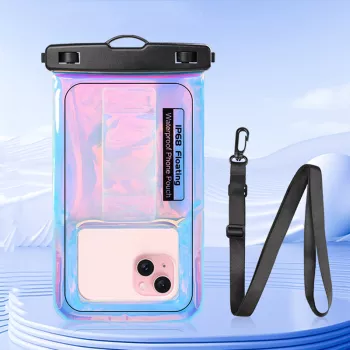
Laser Floating Waterproof Phone Pouch for iPhone & Android – Swim & Beach Case
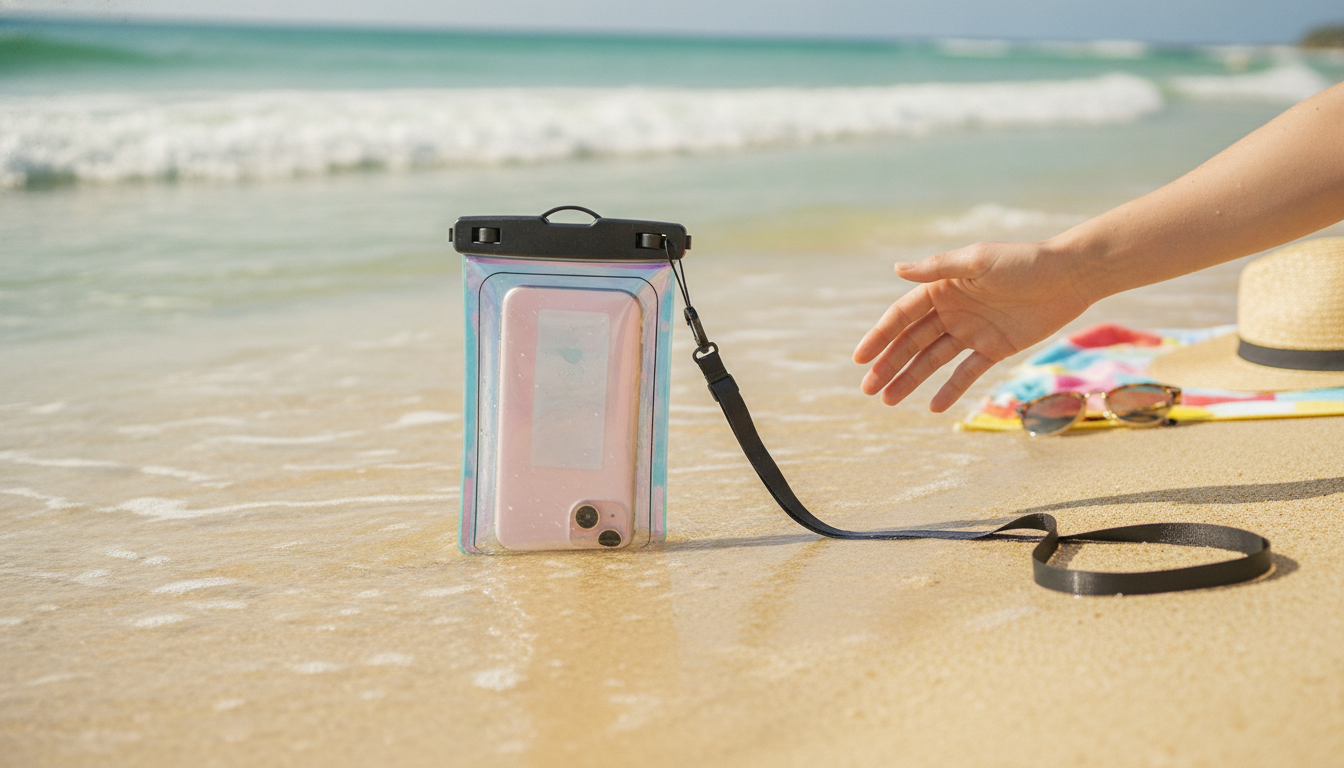
Keeping a phone safe around water is harder than it sounds: splashes turn into dunks, sand finds every port, and pockets are never secure on a paddleboard. A floating waterproof phone pouch adds a protective barrier while still letting the screen stay usable for quick photos, maps, music, and emergency calls near the shore or pool.
Whether the day includes a hotel pool, a beach chair, or a kayak launch, a pouch that seals correctly and stays visible on the surface can make the difference between stress-free fun and an expensive accident.
What a floating waterproof phone pouch does
- Creates a sealed layer between the phone and water, helping reduce the risk from pool splashes, rain, and brief submersion.
- Adds buoyancy so the pouch is easier to spot and retrieve if it slips off a dock, kayak, or inflatable.
- Keeps sand and grit away from charging ports and speaker openings—especially helpful at the beach.
- Allows phone access without removing it, supporting quick use for photos, messages, and QR codes when the seal is properly closed.
It’s worth noting that phone water-resistance varies by model and age; manufacturer guidance (like Apple’s notes on water resistance) still recommends avoiding unnecessary exposure and understanding device limits.
When it’s most useful: beach, pool, boating, and travel
- Swimming and pool days: protect against splashes while keeping the phone close for timers, music control, or family coordination.
- Beach trips: reduce exposure to sand and salt spray; keep the phone separated from wet towels and sunscreen residue.
- Boating, kayaking, paddleboarding: floating design helps prevent loss and makes retrieval faster if dropped.
- Theme parks and water rides: keep valuables dry while staying hands-free with a neck strap.
- Rainy commutes and hiking near water: an extra barrier for unpredictable weather.
For trips where weather flips quickly, a pouch can also act like a quick “rain shell” for your phone—useful when pulling a separate dry bag out would be inconvenient.
Features to look for before using it in water
- Seal mechanism: a secure locking closure matters more than thickness; close it slowly and confirm it’s fully engaged end-to-end.
- Touchscreen usability: expect best results with clean, dry hands and a snug fit that minimizes air bubbles over the display.
- Camera-friendly window: a clear rear area helps reduce haze; wipe both pouch film and camera lens before shooting.
- Floating support: buoyancy can depend on phone size/weight and any extra items placed inside the pouch.
- Carry options: a comfortable lanyard/strap keeps it accessible while reducing the chance of drops.
If you’re comparing “waterproof” claims across products, it helps to understand enclosure rating systems such as the IP Code described in IEC 60529, which defines degrees of protection against water and dust (though many pouches may not list an official rating).
References:
Apple Support: About splash, water, and dust resistance of iPhone |
IEC 60529: Degrees of protection provided by enclosures (IP Code)
Fit and compatibility checklist (iPhone and Android)
- Measure the phone (including case, if kept on) and compare it to the pouch’s usable internal space.
- If using Face ID/under-display fingerprint, expect variability through plastic film; a passcode fallback is useful near water.
- For clearer photos, disable flash when the plastic creates reflections; use natural light when possible.
- If the phone is heavy or extra items are added (cards/keys), floating performance may change—test in shallow water first.
Quick fit and use checklist
| Check | What to do | Why it matters |
|---|---|---|
| Size | Confirm the phone fits without forcing the seal; avoid overstuffing | A stressed closure is more likely to leak |
| Seal | Close and re-close slowly; run fingers along the lock to confirm full engagement | Incomplete closure is a common cause of water entry |
| Dry test | Do a tissue test (dry tissue inside) in a sink/bowl before first real use | Verifies sealing without risking the phone |
| Touchscreen | Press firmly, keep film smooth, wipe water droplets off the screen area | Droplets and air bubbles reduce responsiveness |
| Float test | Test in shallow water with the phone inside before open-water use | Confirms buoyancy with the actual device weight |
How to use it safely (simple routine that prevents most leaks)
Care tips for clearer photos and longer pouch life
Laser Floating Waterproof Phone Pouch: quick overview
Shop summer-ready essentials (in stock)
- Laser Floating Waterproof Phone Pouch for iPhone & Android – Swim & Beach Case $8.67
- Luxury Spring & Summer Dog Dress for Small Breeds $17.67
- Interactive Rubber Basketball Dog Toy $5.97
FAQ
Can the touchscreen be used while the phone is inside the pouch?
Touch usually works through the plastic film, but water droplets and trapped air pockets can reduce responsiveness. Wipe the screen area often and press a bit more firmly than usual for taps and swipes.
Will the pouch float with any phone inside?
Floating depends on the phone’s size and weight and whether extra items are added in the pouch. Test buoyancy in shallow water first and avoid overloading it with cards, keys, or other accessories.
How can leakage be tested without risking the phone?
Use a tissue test: place a dry tissue inside, seal the pouch, submerge it briefly, then check the tissue for any moisture. Also inspect the closure carefully and keep the sealing area clean and free of sand or lint.









Leave a comment